
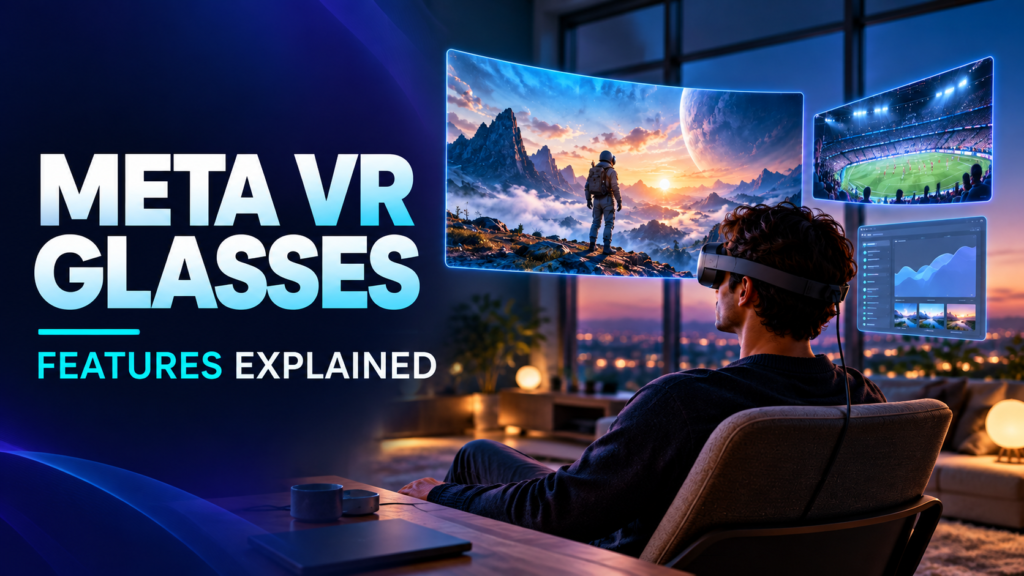
A VR headset can look impressive in a launch video and still end up sitting in a drawer. Meta’s new VR Glasses raise a more useful question: would you reach for them to watch a film, get some work done or talk to someone?
Meta announced the glasses in September 2026 and plans to sell them in spring 2027. It is too early to know how they feel in daily use. We can, however, look at the features Meta has confirmed and what each one might mean once the device ships.
If you want the price, full specifications and release details, we have covered those in our Meta VR Glasses overview. This article is about using the glasses.
A movie screen you can take with you
The most straightforward use is watching something. The glasses put a large virtual screen in front of you, so a small room or an airplane seat does not limit the size of the picture you see.
Meta uses micro-OLED panels in what it calls a 5K Infinite Display. It lists 37 pixels per degree, which is relevant when you want to read subtitles or see fine detail without the picture looking rough. Dolby Vision and speakers with Dolby Atmos support are also part of the package.
The content matters as much as the display. Meta has announced IMAX Enhanced certification, selected 3D movies and partnerships with streaming services. That sounds promising, but the film you want may depend on your country, subscription and the service’s final VR catalog. I would check that catalog before treating the glasses as a replacement for a TV.
Watching a game from somewhere closer to the action
Live sports have a different appeal in VR. Meta is planning selected broadcasts with 180-degree views and 8K streaming. Its goal is to give you a view that feels closer to the event than the usual television camera angle.
The company expects more than 100 immersive live sports events each year after launch. It has named US sports and broadcast partners, but that number does not mean every match on those services will be available in VR. If you mainly follow sports outside the US, wait to see what is offered in your region.
More screen space when you work
A portable work setup might be the feature people use most often. Meta says you can arrange one large virtual screen or several screens around you. Its developer specifications also list DisplayPort input on the separate compute puck, with the glasses usable as a display for a Mac, Windows computer or console.
There is a more unusual idea here too: a flat table can act as a keyboard and touchpad. Full-color passthrough should let you see your desk and phone while the virtual screens stay in view.
I can see the appeal for someone working from a hotel room or a cramped desk. I would still keep a physical keyboard handy for long writing sessions until the tabletop input has been tested outside a demo. Reading small text for hours is another question that only real use can answer.
Less time reaching for controllers
For basic actions, Meta expects you to use your eyes, hands and voice. Look at an item to point to it; pinch your fingers to select it. You could open an app or start a film without finding two controllers first.
That approach carries into games. Meta says more than 75 titles at launch will work with hand gestures alone, and Xbox Cloud Gaming will offer another way to play. Compatible Quest Touch Plus controllers are an optional separate purchase.
The details will vary by game. Hand tracking could feel natural in one title and awkward in another. The final game list will be more useful than assuming your whole existing Quest library will work equally well with gestures.
Calls that show a digital version of you
Meta has also shown a calling feature that creates a lifelike digital version of the caller, including expressions that change in real time. If the other person wears the glasses, that representation appears in their virtual space. On a phone or computer, they see it on a normal screen.
Meta says the feature is planned for calling apps such as WhatsApp and Zoom. Whether people will prefer it to an ordinary video call is still an open question. A convincing demo is one thing; a relaxed conversation with friends or colleagues is another.
Lighter on your face, with hardware in your pocket
The glasses weigh about 100 grams, according to Meta. The processor, battery and storage are in a separate puck connected by a cable. This is how Meta has kept much of the weight off your face.
The design has practical consequences. There are no heavy headset straps, and the open sides and color passthrough help you keep track of your surroundings. Passthrough is a camera view of the room, though; it is not the same as looking through ordinary clear lenses.
The puck is rated for up to three hours of high-resolution media playback and supports 45W fast charging. That is a media playback figure, not a tested promise of three hours for every game or work task. You also have to decide whether carrying a tethered puck is a fair exchange for lighter glasses.
One specification is easy to miss: Meta lists a 70-degree horizontal field of view for these glasses, while Quest 3 is listed at 110 degrees. The glasses may be easier to wear, but they show a narrower VR scene. How much that matters will depend on whether you spend more time watching a screen, working or playing immersive games.
What should you wait to find out?
The feature list is detailed. The everyday experience is still unknown. Before buying, I would want clear answers to a few things:
- Can you comfortably watch a full film or work for several hours?
- Is the virtual keyboard accurate enough for more than a quick message?
- Which movies, sports feeds and games are available where you live?
- How well do existing apps adapt to gaze and hand controls?
- What are the official India availability and price?
Meta has announced spring 2027 availability and a price in US dollars. An India price has not been confirmed in its launch announcement. A currency conversion on another site is not an official local price.
Frequently Asked Questions
Are Meta VR Glasses the same as Ray-Ban Meta glasses?
No. Meta VR Glasses have displays for immersive content and connect to a separate compute puck. Ray-Ban Meta smart glasses are a different product line intended for everyday eyewear.
Can I connect Meta VR Glasses to a laptop?
Meta’s developer comparison lists DisplayPort input on the puck and use as a display for Mac and Windows computers. Check the final connection requirements when the product goes on sale.
Do I have to buy controllers?
Not for the hand-controlled experiences Meta has announced. Compatible Quest Touch Plus controllers will be sold separately for people who want or need them.
Final Take
The headline feature is the lighter shape, but the reason to buy will be personal. Someone who travels often may want a private cinema. Someone short on desk space may care about virtual monitors. A gamer may pay closer attention to the game catalog, controls and narrower field of view.
For now, these are announced capabilities. The useful verdict will come when people can try the finished glasses for more than a short demo.
Disclaimer: This article is based on Meta’s official announcements and developer documentation available on September 26, 2026. We have not tested Meta VR Glasses. Features, content availability and connection requirements may change before launch.
Official sources: Meta’s announcement, device comparison and developer guide.